How many plugins do you actually own?
One dashboard for your entire audio infrastructure. Every VST, AU and AAX on your machine - more than you think.
3,000+ producersSigned & notarisedNon‑destructive
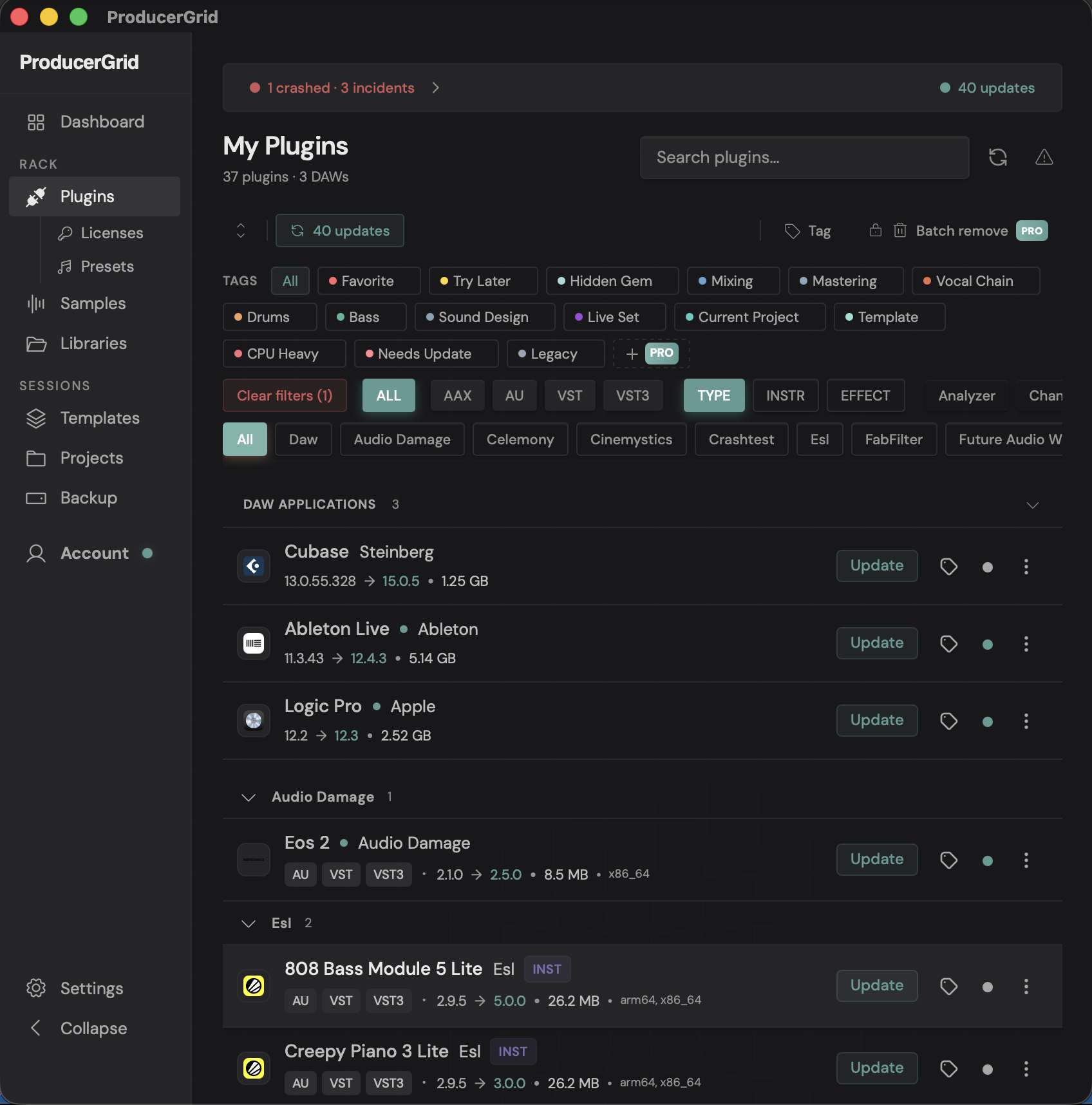
Your plugins · grouped by manufacturer · readable offline
The app scans. The dashboard sums it up.
One machine, scanned locally - or keep everything local if you prefer. Connect a dashboard and every machine sums up in the browser.
Two apps, one system. The desktop app runs on its own, fully offline - flip the switch to connect it and watch your studio dashboard fill with every machine.
connect
actions
Right now the desktop app is on its own: no account, no internet, nothing leaves the machine. The dashboard stays dark until you connect it.
You already own it.
You just can’t find it.
Without ProducerGrid
- 0115 minutes searching for that preset
- 02"Wait, which plugins need updates?"
- 03Kontakt eating 80GB and you had no idea
- 04Lost license keys (again)
- 05Boot DAW just to test one sound
With ProducerGrid
- See every preset you own, grouped by plugin
- Tag and organize everything your way
- See exactly what's eating your SSD
- iLok, Waves, Native Access - read into one list
- Open any plugin standalone, instantly
What is installed, what is stale, what is safe to delete
One scan, every format, every vendor folder - including the ones a vendor’s own installer forgot about. Installed versions sit next to the current release, so you see drift instead of guessing.
Plugin discovery
Automatically scan and catalog all installed plugins
Crash detection
Automatically flag plugins that crash - before they break your session
Plugin uninstall
Safely remove plugins with automatic file cleanup
Format support
Full AU, VST, VST3 and AAX support on macOS and Windows

Every licence, every manager, one list
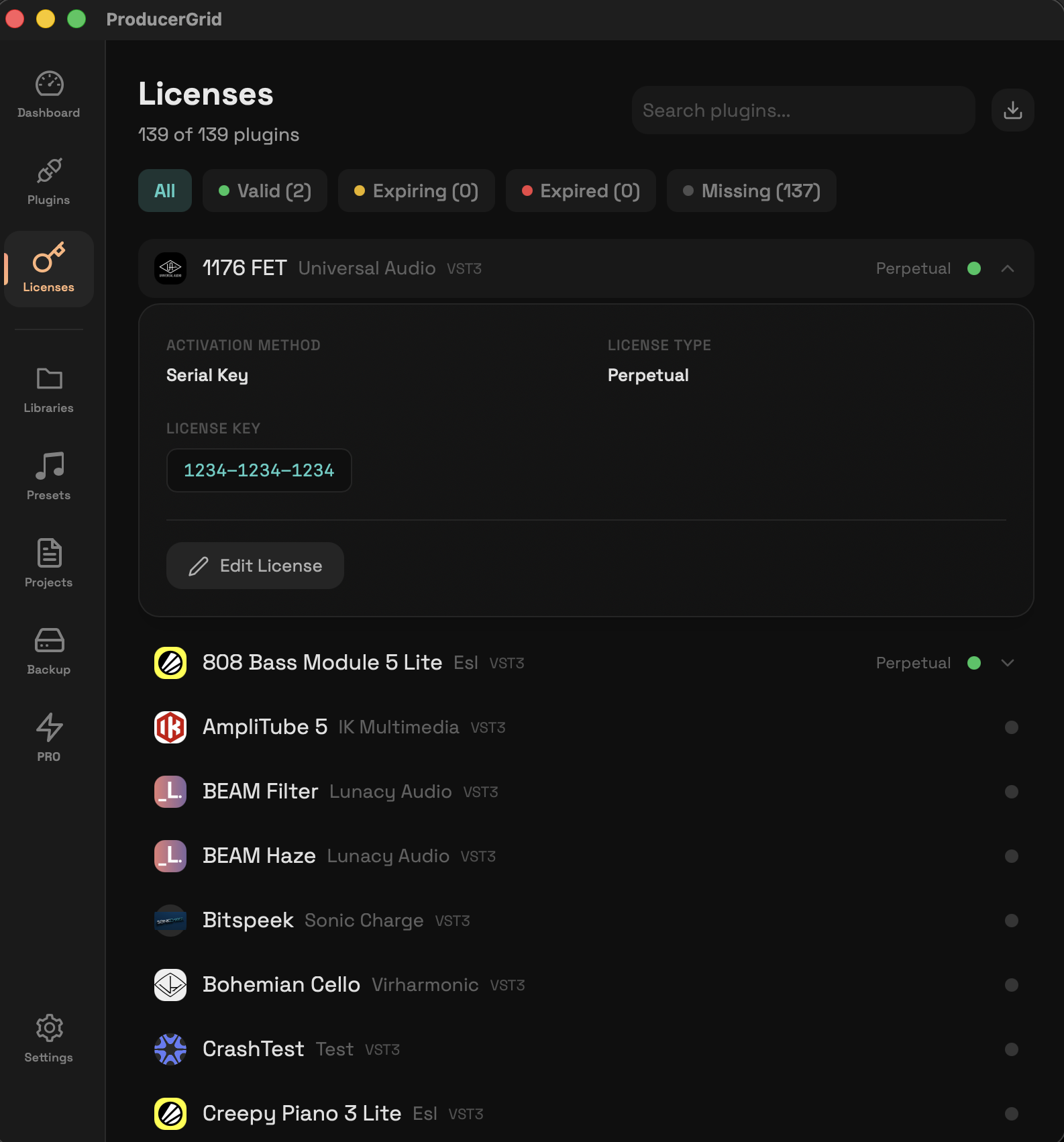
iLok, Waves Central, Native Access, Steinberg, Avid Link, and plain licence files - read into one view with expiry dates. Plus an encrypted local vault for the serials none of those apps will hold for you.
Serial key storage
Store license keys, serial numbers and activation codes
License files
Import and export .lic files securely
Keys stay local
Licence keys never leave your machine - not even when a dashboard is connected
Expiration tracking
Get alerts before subscriptions and trials expire
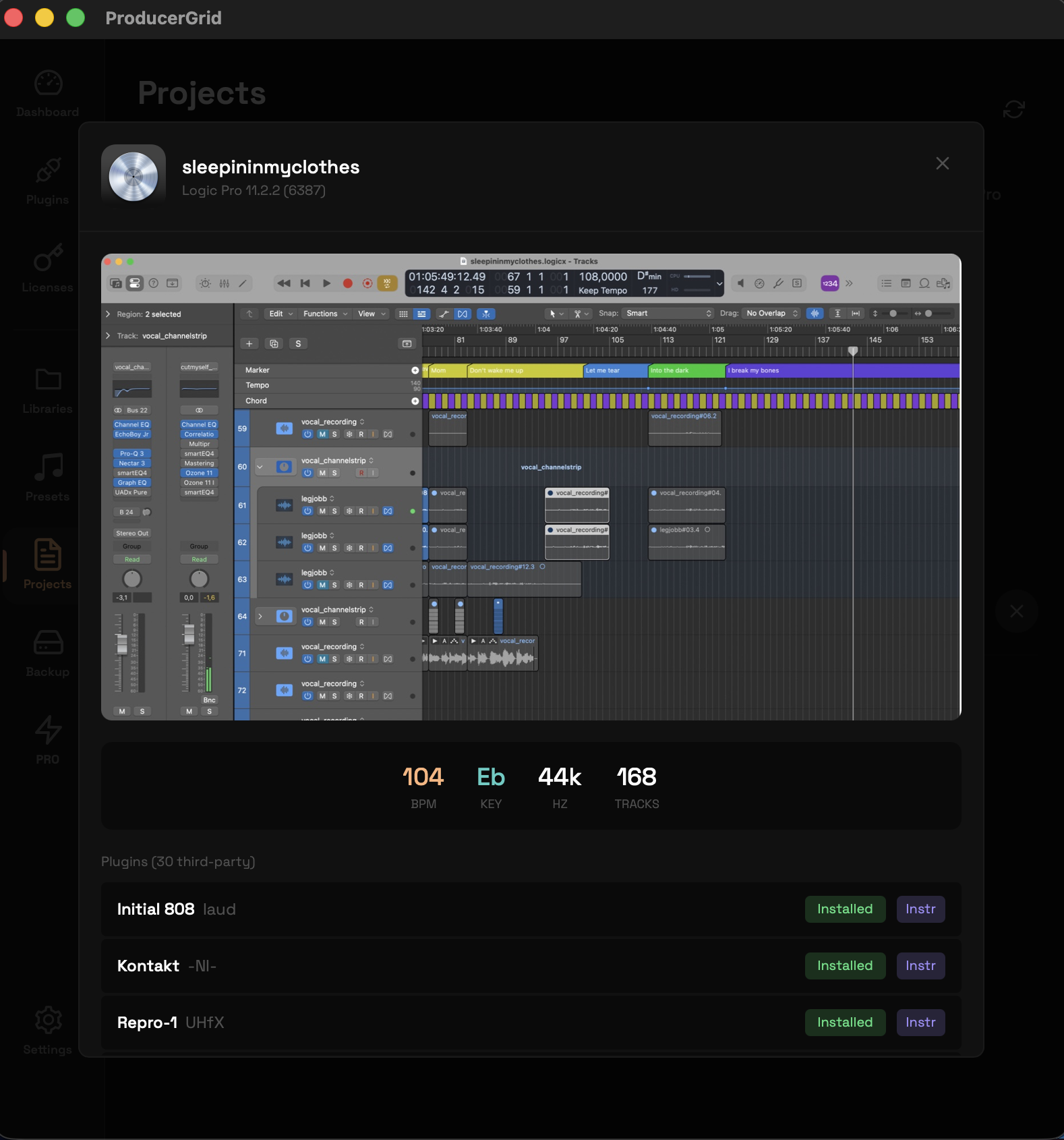
Will this session open?
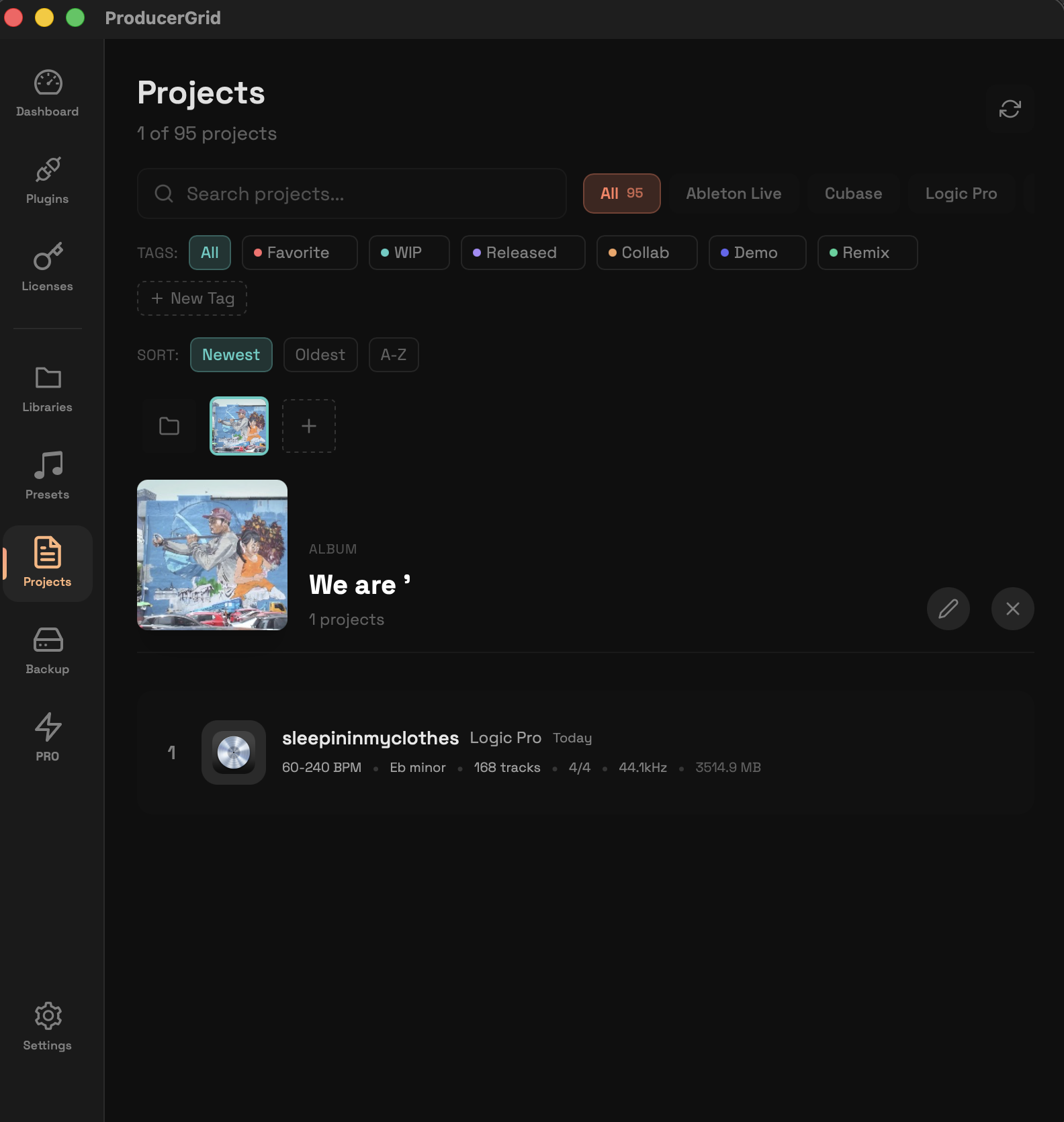
Scan your Logic, Ableton, Cubase and Reaper projects and read the plugin list before you double-click. Missing plugins flagged by name and version - not discovered thirty seconds into a client’s session.
DAW project parsing
Logic Pro, Ableton Live, Cubase, Reaper, FL Studio, Pro Tools and more
Missing plugin detection
Know exactly which plugins are missing before opening a project
Project analysis
BPM, key, time signature, track count and plugin usage stats
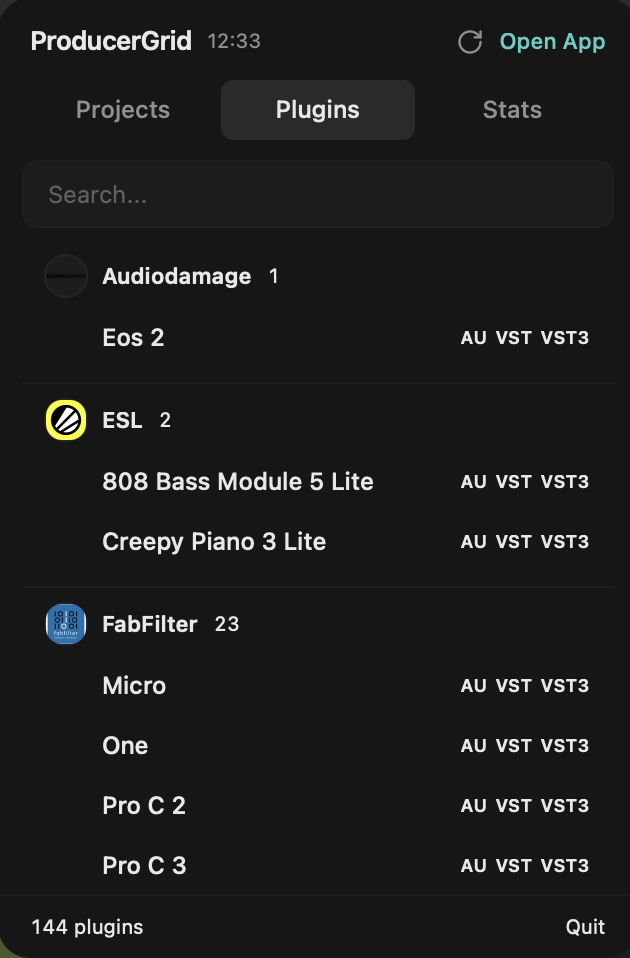
…and it lives in your menu bar
Plugins, projects and real-time system stats, one click from the menu bar - without switching windows.
- Live stats
- CPU, RAM, disk and battery, in real time
- Quick search
- Find a plugin or project without opening the app
- Disk before you record
- Kontakt libraries do not warn you at 4 GB
- Every project
- Your whole DAW history, from the tray
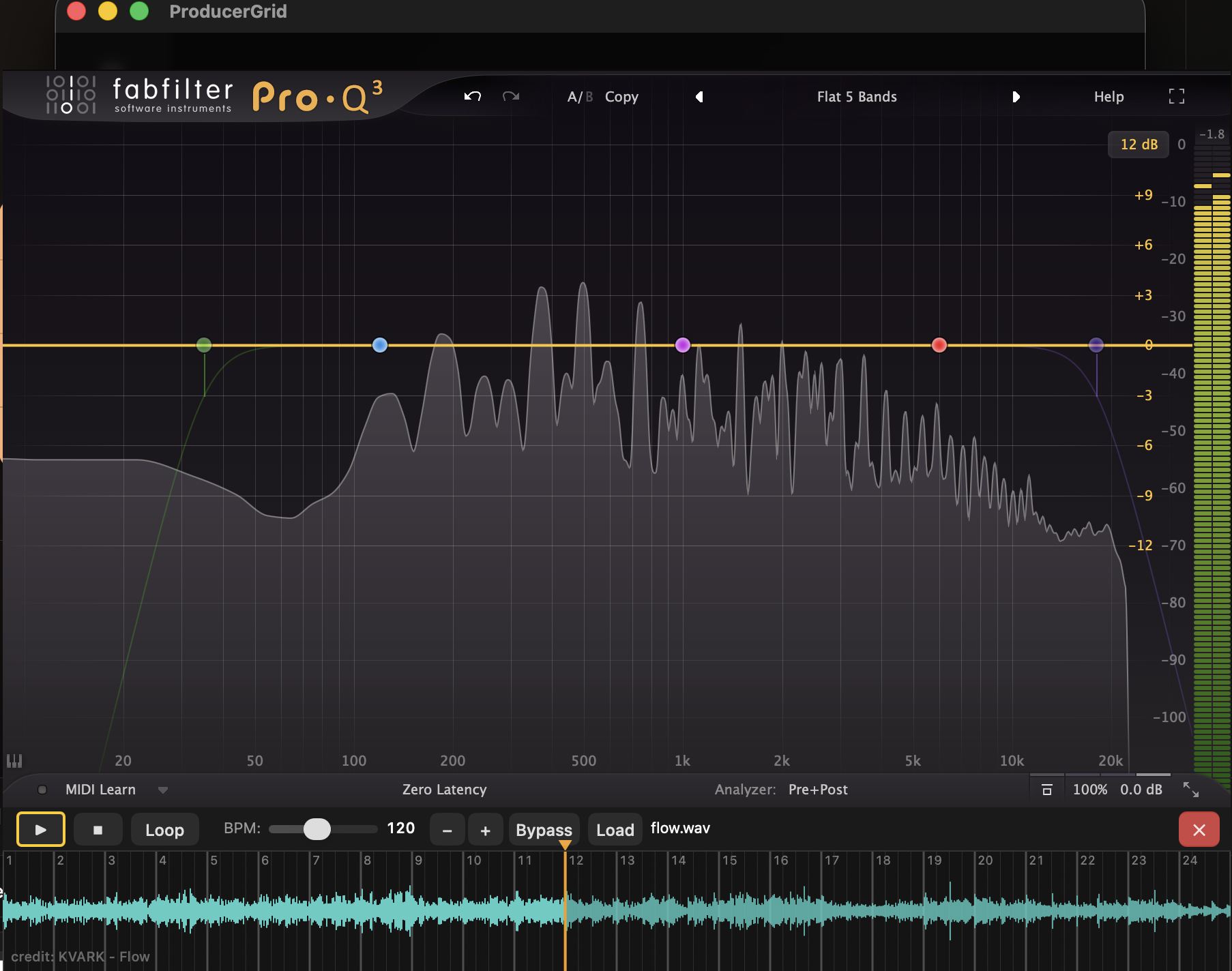
Open plugins without your DAW
Want to tweak a preset but don't want to wait for Logic to boot? Open the plugin directly, plug in your MIDI keyboard, drop in an audio file - no session, no wait.
The rest of it
Preset index
Every preset you own, grouped by plugin and bank - including the packs you forgot you bought. Kontakt, Serum, Soundtoys and dozens more.
Template scanner
Scan, preview, and clone your DAW templates. Know what plugins each template needs before you open it.
Sample browser
Browse your sample library with waveform previews and audio playback. Search by name, length, or format.
Crash recovery
Automatically detect plugins that crashed and flag them. Clear the list after you update - no more guessing which one broke the session.
Backup & restore
Export tags, notes, licences and settings as one snapshot, then restore the lot on a new machine or after a clean install.
Menu bar access
Disk space before you hit record, plus plugin and project search - without leaving your session.
Free to browse. Pay to act.
Searching your library never costs anything. The features that change your machine - standalone hosting, bulk uninstall, the licence vault, backup - are Pro.
Free
Try before you buy
- Browse all plugins
- Basic search & filters
- Plugin details
- Open 2 plugins standalone per day
- 2 bulk uninstalls per day
After purchase you’ll get an activation code by email.
For studios, post-production & education
Managing plugins across a recording studio, film/TV post facility, game audio team or music school? Volume licensing, centralized management and dedicated support.
- Every plugin on every machine, from one screen
- Spot version drift between rooms before it changes a mix
- Licence expiry across the whole facility, one calendar
- Self-hosted deployment for air-gapped facilities
- Volume licensing from 5 seats
- Answered by the developer, not a ticket queue

It already knows your gear
ProducerGrid reads plugins from every one of these developers - and the several hundred more it does not need a list for.
Supported manufacturers: Native Instruments, Waves, FabFilter, iZotope, Arturia, Soundtoys, Universal Audio, Plugin Alliance, Xfer Records, Spectrasonics, u-he, Valhalla DSP, Slate Digital, IK Multimedia, Output, Spitfire Audio, Heavyocity, Celemony, Antares, Audio Damage, Eventide, Lexicon, SSL, Neve, API, Empirical Labs, Sonnox, Brainworx, Acustica, Toontrack, XLN Audio, Superior Drummer, EastWest, Vienna Symphonic, Orchestral Tools, Cinesamples, Best Service, Zero-G, Loopmasters, Serato, Ableton, Steinberg, PreSonus, Image-Line, MOTU, Avid, Apple, Reason Studios, Bitwig, Cockos, Tracktion, Baby Audio, Goodhertz, Klanghelm, Tokyo Dawn, Voxengo, Melda, Kilohearts, Newfangled Audio, Sonible, Oeksound, Fuse Audio, Black Rooster, Nomad Factory, McDSP, Metric Halo, Flux, DMG Audio, Weiss, Leapwing, Mastering The Mix, Denise Audio, Cableguys, Devious, Sugar Bytes, Rob Papen, Lennar Digital, Reveal Sound, Vengeance, Modartt, Pianoteq, Applied Acoustics, AAS, Physical Audio, and many more.
Frequently asked questions
Is ProducerGrid really free?
Browsing and searching are free forever - no time limit, no signup. Two things are metered on Free so you can try them before paying: opening a plugin standalone (running its GUI without a DAW) and bulk uninstall, twice a day each. Licence vault, backup and the full standalone host are Pro.
Does it modify or move my plugins?
Never. ProducerGrid only reads your plugin files to build a catalog. It never modifies, moves, or deletes anything unless you explicitly use the uninstall feature.
Which operating systems are supported?
ProducerGrid runs natively on macOS (12+) and Windows (10+). Both versions have the same features and interface.
Which plugin formats are supported?
AU, VST, VST3, and AAX. ProducerGrid detects all formats automatically from standard install locations on both macOS and Windows.
Which DAW projects can it scan?
Full plugin extraction works with Logic Pro, Cubase, Ableton Live, and Reaper. Project detection (finding files) works with FL Studio, Pro Tools, Studio One, Bitwig, GarageBand, and more.
What leaves my machine?
Your licence keys never do - they stay in the encrypted local vault, full stop. The desktop app works offline: scanning, presets, projects, backup. If you connect a ProducerGrid dashboard, an inventory syncs up - plugin, preset and project metadata (names, versions, formats, sizes). Never your keys, never your audio, never your project files. The app also sends anonymous usage events (app started, scan finished) so we know which features get used.
Do I have to give it my iLok, Native Access or Waves account?
No, and it never asks. ProducerGrid reads the licence files and activation records those managers already wrote to your disk. It never signs in on your behalf and never stores a vendor password.
I have 2,000+ plugins. Will it cope?
Yes. The first full scan is the slow one; after that it only re-reads what changed. Scanning runs off the UI thread, so you can keep browsing while it works.
Is the app signed?
Yes - signed and notarised by Apple on macOS, and code-signed on Windows. No Gatekeeper warnings, no "unidentified developer" dialog.
Can I use it alongside my DAW?
Absolutely. ProducerGrid runs as a separate app. You can open plugins standalone without your DAW, browse presets, or manage licenses while your session is running.
What happens if I cancel Pro?
You keep the free version with all your data intact. Nothing gets deleted or locked out - you just lose access to Pro-only features until you resubscribe.
ProducerGrid - free to download